Print lamination: how to protect business cards and book covers
How to choose between matte and gloss laminate, UV coating and soft-touch film for business cards, booklet covers and catalogues. Guide prices and turnaround times.
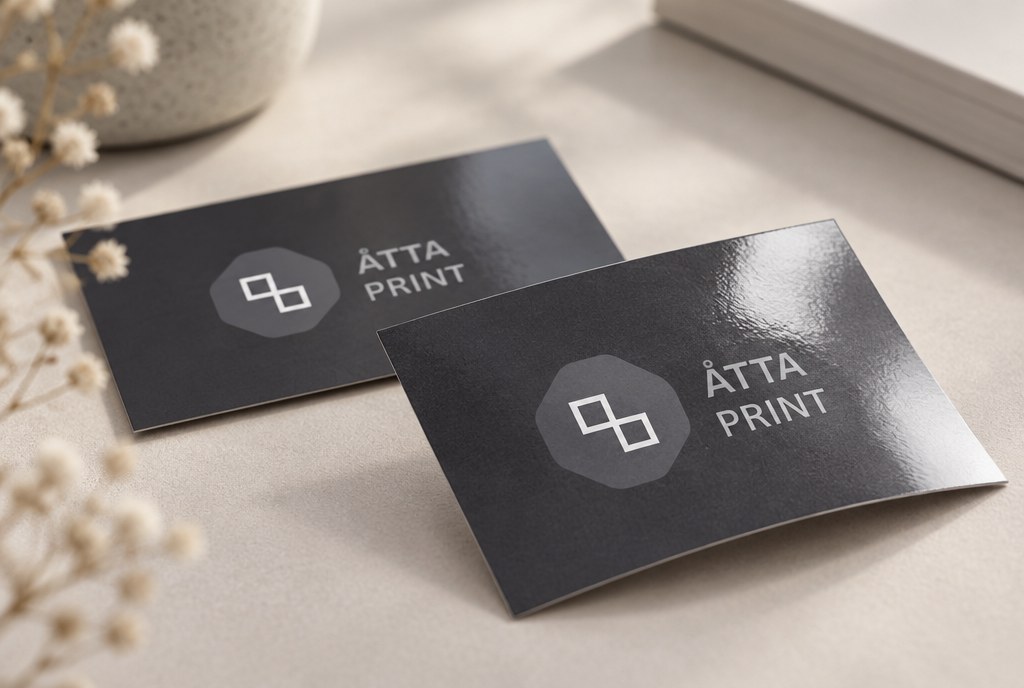
Print lamination means that a thin plastic film (usually 24–32 microns) is applied to the printed paper using heat and pressure, protecting it from moisture, friction and colour wear. For business cards, lamination adds roughly 50–70 microns to the overall paper thickness and extends their good appearance from a few weeks to several months in a pocket or wallet. As a guide, laminating business cards costs from EUR 8 per 100 pcs for both sides (excl. VAT), and the work together with printing takes 3–5 business days.
Why printed surfaces need protection at all
Toner from digital printing and offset ink sit on the surface of the paper. On dark, saturated areas (black backgrounds, dark blue, burgundy) the ink layer is thick, so it cracks at fold lines and shows the white of the paper underneath wherever it's rubbed. This is most noticeable exactly on business cards and booklet covers — the things people hold in their hands.
A laminated or coated cover also holds its shape better: 300 g/m² card with matte laminate on both sides doesn't bend in a pocket, while a catalogue cover without protection already looks worn after a few days on a desk.
When protection is essential
- Dark or solid-colour background areas (black, dark blue, dark green)
- Business cards that a client will carry in a wallet or pocket
- Booklet, catalogue and price list covers used every day
- Menus in cafés and restaurants — here lamination is practically unavoidable
- Cards used outdoors or in damp conditions (event passes, tags)
Lamination vs coating: what's the difference
Lamination is a physical film glued onto the paper. Coating is a liquid applied and then cured (UV lamp or air-dried). Film protects better; varnish is cheaper and thinner.
| Finish | Protection | Look | Guide price (100 business cards) |
|---|---|---|---|
| Matte lamination | Very good | No shine, pleasant to the touch | from EUR 8 |
| Gloss lamination | Very good | Shiny, more saturated colours | from EUR 8 |
| Soft-touch lamination | Very good | Velvety, "rubbery" feel | from EUR 14 |
| UV varnish (full area) | Medium | Glossy or matte | from EUR 5 |
| Spot UV varnish | Medium, in places only | Glossy accents on a matte background | from EUR 25 |
Prices are a guide only, excl. VAT, and depend on format, paper and print run. At 1,000 pcs, the price per business card drops 3–5 times.
Which option to choose for a specific product
Business cards
The standard solution is 350 g/m² card with matte laminate on both sides. You can write on matte laminate with a ballpoint pen — you can't on gloss, and people often don't realise this until they try to jot down a phone number. If you want your logo to stand out, combine matte lamination with spot UV varnish applied only on the logo.
Soft-touch lamination suits architecture firms, lawyers, beauty salons — anywhere the tactile feel matters. Note that fingerprints become visible on a soft-touch surface over time, especially on a black background. You can view and order all options in the business cards section.
Booklet and catalogue covers
Covers typically use 250–300 g/m² card with laminate on the outside only. We don't laminate the inside — firstly, it costs more, and secondly, glue holds less well on laminated inner surfaces at the spine. If a catalogue is to be glued, we plan lamination for the outer cover side only, leaving a 3–5 mm unlaminated strip at the spine.
Menus
This calls for thicker protection: a 250-micron laminate pouch (so-called "hot pocket lamination") makes the sheet resistant to moisture and grease, and it can be wiped with a damp cloth. A menu like this lasts 6–12 months in active use.
What lamination does to colours and foldability
Gloss film makes colours 5–10% more saturated and higher contrast. Matte film, by contrast, slightly dulls lighter tones and makes dark areas less deep — if the artwork has subtle light shades, this needs to be taken into account at the design stage.
An important practical note: folding laminated card without scoring causes cracks. For laminated card from 200 g/m² we always plan a scoring line, and lamination film on the opposite side actually helps — it keeps the paper from tearing apart.
File requirements
For finishing work, the file must be vector (.ai, .eps, .pdf), in CMYK colour space, with a 3 mm bleed. If you need spot UV varnish, prepare a separate layer or page where the areas to be coated are marked in 100% black — solid shape only, no partial transparency.
Turnaround times and print runs
| Product | Print run | Turnaround with lamination |
|---|---|---|
| Business cards | 100–1,000 | 3–5 business days |
| Flyers A5/A6 | 500–5,000 | 4–6 business days |
| Booklets with laminated cover | 100–1,000 | 5–8 business days |
| Catalogues, brochures | 50–500 | 7–10 business days |
| Menus (thick laminate) | 5–50 | 3–5 business days |
We also work with single pieces — for example, one laminated menu or a couple of test business cards before a large print run. Urgent jobs are handled by separate arrangement. You can view other printing services and materials in the catalogue section, and for large-format products — posters, where we offer coating or lamination for damp conditions or outdoor use.
Frequently asked questions
Can laminated business cards be recycled?
In practice, ordinary polypropylene laminate cannot be separated from paper, so such a business card ends up in household waste. If recyclability matters to you, we recommend UV varnish on uncoated paper or no finish at all — for example, 350 g/m² natural card without laminate.
How long do laminated business cards last compared to unlaminated ones?
An unlaminated business card with a dark background carried in a wallet starts to look worn after 2–4 weeks. A laminated one used the same way keeps its appearance for 6–12 months.
Can you write on a laminated surface?
You can write on matte laminate with a ballpoint pen and a permanent marker. On gloss and soft-touch — practically not, the ink smudges. You can write on menu-grade thick laminate with a wipeable marker and then wipe it off.
What's the minimum print run for lamination?
For business cards we start from 100 pcs, booklets from 50 pcs, menus and single sheets — from 1 pc. At small print runs, most of the cost is setup, so 500 business cards work out much cheaper per unit than 100.
How do I know if I need lamination or UV varnish?
If the product will be handled a lot or used in a damp environment — lamination. If you just need a visual effect and cost savings on a large flyer print run — full-area UV varnish is enough.
Send us your artwork or a description at info@attaprint.lv, call +371 25776699 or message us on WhatsApp at the same number — project manager Madara prepares a quote with all finishing options within one business day.
FAQ
Can laminated business cards be recycled?
In practice, ordinary polypropylene laminate cannot be separated from paper, so such a business card ends up in household waste. If recyclability matters to you, we recommend UV varnish on uncoated paper or no finish at all — for example, 350 g/m² natural card without laminate.
How long do laminated business cards last compared to unlaminated ones?
An unlaminated business card with a dark background carried in a wallet starts to look worn after 2–4 weeks. A laminated one used the same way keeps its appearance for 6–12 months.
Can you write on a laminated surface?
You can write on matte laminate with a ballpoint pen and a permanent marker. On gloss and soft-touch the ink smudges. On menu-grade thick laminate you can write with a wipeable marker.
What's the minimum print run for lamination?
For business cards we start from 100 pcs, booklets from 50 pcs, menus and single sheets — from 1 pc. At small print runs, most of the cost is setup, so 500 pcs works out cheaper per unit than 100.
How do I know if I need lamination or UV varnish?
If the product will be handled a lot or used in a damp environment — lamination. If you just need a visual effect and cost savings on a large flyer print run — full-area UV varnish is enough.